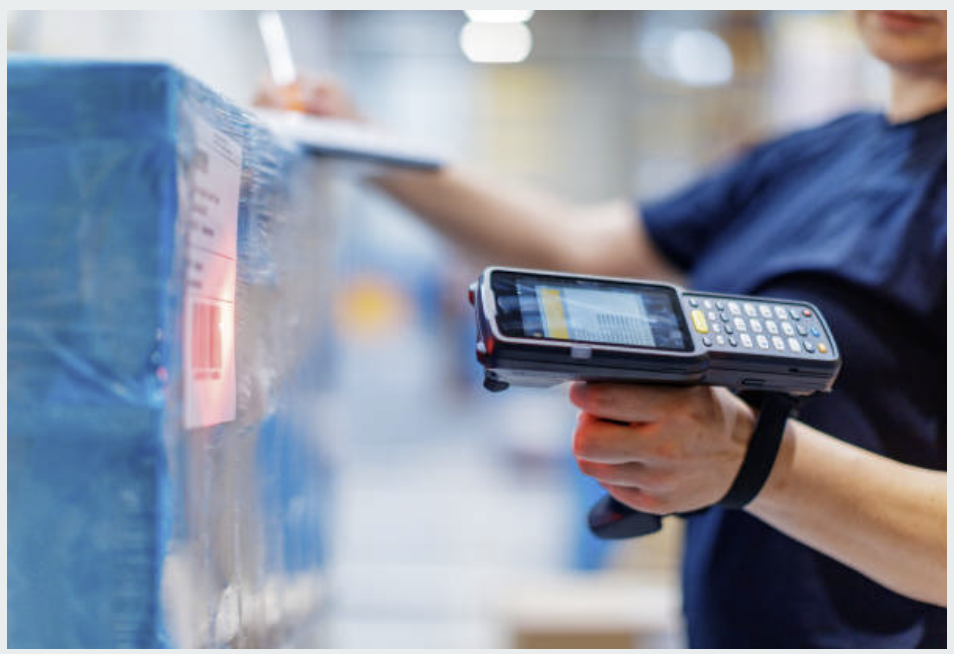
Whether you’re scanning hundreds of items a day or working in a quieter office, your barcode scanner is constantly exposed to dust, grime, and fingerprints. Over time, this build up can reduce scanning accuracy, slow down workflows, and even shorten the life of your device. That’s why knowing how to clean your barcode scanner properly is essential to keeping it performing at its best.
This guide applies to all major models including Zebra, Honeywell, Symbol, and Motorola scanners; so no matter what you’re using, these best practices will help.
Why Cleaning Your Barcode Scanner Matters
Regular barcode scanner maintenance helps ensure optimal performance and reliability. Clean devices are more accurate and responsive, which leads to fewer scanning errors and faster checkouts or inventory counts. Over time, proper cleaning can also:
- Prolong device lifespan
- Minimise wear and tear
- Reduce the need for costly repairs
- Reduce downtime in warehousing and logistics operations
Investing a few minutes in cleaning each day can save hours of frustration down the line.
Tools and Materials You’ll Need
Before you begin, gather the following items:
- Microfiber cloth (lint-free)
- Isopropyl alcohol (70% concentration or lower)
- Cotton swabs
- Canned air (optional)
- Pre-moistened electronic cleaning wipes (safe for screens and lenses)
Avoid these materials:
- Paper towels or tissues (they can scratch the lens)
- Strong solvents or ammonia-based cleaners
- Abrasive cloths or sponges
Using the safe way to clean barcode scanners means using non-damaging products approved by manufacturers. Whether you’re looking to clean a Zebra scanner, clean Honeywell barcode scanner, or maintain another brand, the right tools make all the difference.
Step-by-Step: How to Clean Your Barcode Scanner
Break cleaning into manageable steps based on your device’s components:
1. Screen/Display
Gently wipe the display using a microfiber cloth slightly dampened with isopropyl alcohol. Avoid applying liquid directly to the screen.
2. Scanning Lens
Use a dry cotton swab or canned air to remove dust from the lens. For smudges, gently wipe with an alcohol wipe or a swab dipped in alcohol. Proper cleaning of barcode scanner lens ensures clear, accurate reads.
3. Buttons/Keypad
Use a damp cloth or alcohol wipe to clean between the buttons. Be gentle to avoid pushing liquid into the device.
4. Charging Ports
Blow out dust using compressed air. Avoid poking with metal objects. Clean contacts lightly with a dry swab.
5. Housing/Outer Shell
Wipe down the device shell with disinfectant wipes or a cloth moistened with alcohol. This is especially important if devices are shared between staff.
If you’re concerned about hygiene, here’s how to disinfect a barcode scanner: Use 70% isopropyl alcohol wipes to sanitize high-touch surfaces, especially in healthcare or food service settings. Let devices air dry fully before use.
How Often Should You Clean Your Barcode Scanners?
Cleaning frequency depends on your environment:
- Daily – Warehouses, dusty environments, logistics hubs, food distribution
- Weekly – Office or retail settings with moderate use
- Per Shift – Shared devices in healthcare or sanitation-sensitive industries
In high-risk sectors like logistics, healthcare, and food distribution, regular cleaning isn’t just best practice—it’s mission-critical.
Need Professional Help? MCR Can Support Your Team
At MCR, we offer expert support for device maintenance, barcode scanner repairs, and preventative care. Whether you need to troubleshoot recurring issues or schedule routine service for your fleet, our technicians can help keep your operations running smoothly.
Learn more about our barcode scanner repair services or get in touch for a free consultation.