
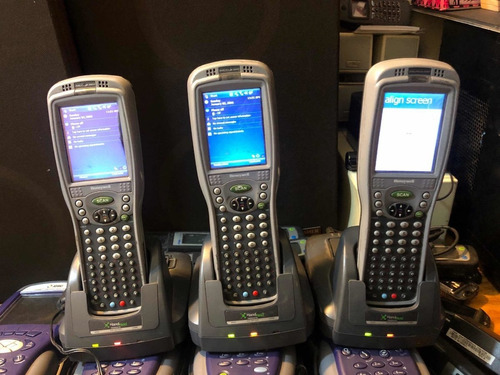
Honeywell barcode scanners are designed to handle the demands of fast-paced environments like warehouses, retail stores, and logistics centres. However, just like any piece of technology, regular use can lead to wear and tear, and neglecting preventative maintenance can result in frequent repairs. We believe that a little care goes a long way in extending the lifespan and performance of your Honeywell devices.
Here are some simple yet effective tips on how to maintain your Honeywell devices and prevent the need for frequent repairs.
Keep Your Devices Clean
Dirt, dust, and grime can build up on your Honeywell devices, affecting their performance over time. Dirt on the scanner lens can cause misreads, and debris in the ports can lead to connectivity issues. Regular cleaning of your devices is essential for smooth operation.
How to Clean:
• Scanner Lens:
Use a soft, lint-free cloth to gently wipe the lens. If necessary, dampen the cloth with a small amount of water or lens cleaner. Never spray liquid directly onto the device.
• Exterior:
Wipe the entire device, including the body and buttons, with a microfiber cloth to remove dirt and oils.
• Ports:
Use compressed air to gently blow out dust and debris from charging ports and other connections. Proper Charging Practices One of the most common issues with Honeywell mobile computers and barcode scanners is battery-related problems. Poor charging practices, like leaving the device on the charger for too long or using low-quality chargers, can lead to battery degradation and reduced performance.
Tips for Charging:
• Avoid Overcharging:
Most Honeywell devices have built-in battery management systems to prevent overcharging, but it’s still good practice to unplug the device once it’s fully charged.
• Use the Right Charger:
Always use the recommended charger and cable for your Honeywell device to ensure safe and efficient charging.
• Regular Charging Cycles:
Avoid letting the battery fully deplete before charging. Keeping the battery between 20% and 80% will prolong its lifespan. Regular Software Updates Outdated software can cause a range of issues, from sluggish performance to compatibility problems with other devices. Regularly updating the software on your Honeywell devices ensures they’re running smoothly and securely. Why Software Updates Matter:
• Bug Fixes:
Updates often contain bug fixes that improve the stability of your device.
• Security Patches:
Regular software updates help protect your device from vulnerabilities.
• Enhanced Features:
Manufacturers often add new features that can improve performance and efficiency. Proper Handling and Storage The way you handle and store your Honeywell devices can significantly impact their longevity. Dropping, bumping, or exposing your devices to extreme conditions can lead to malfunctioning or physical damage.
Tips for Handling and Storing Devices:
• Use Protective Cases:
Consider investing in rugged cases or holsters designed for Honeywell devices. These can protect your devices from drops, spills, and bumps.
• Use Glass-Tempered Screen Protectors:
A glass-tempered screen protector can provide an extra layer of protection for your device’s display, preventing scratches and cracks from drops or impacts.
• Avoid Extreme Temperatures:
Avoid exposing your devices to extreme heat or cold, as this can damage internal components and affect battery performance.
• Store in a Safe Place:
When not in use, store devices in a safe, dry place. Avoid leaving them in areas where they can be knocked over or exposed to dust and dirt.
Routine Battery Maintenance Battery issues are one of the most common causes of device failure. Over time, batteries naturally degrade, and failing to properly maintain them can cause early failure.
Battery Care Tips:
• Discharge and Recharge Regularly:
While modern lithium-ion batteries don’t suffer from the “memory effect,” it’s still important to periodically discharge the battery to about 20% before recharging it.
• Check Battery Health:
Monitor the battery’s health regularly, and if you notice a significant drop in performance (e.g., shorter battery life), it may be time to replace it.
• Avoid Full Discharge:
It’s best not to let your device’s battery completely run out of charge, as this can stress the battery and shorten its lifespan. Monitor Device Performance It’s important to regularly check the performance of your Honeywell devices, as early detection of issues can prevent more significant damage down the line. If your device is running slowly, experiencing frequent crashes, or showing signs of malfunction, addressing these problems early can save you from expensive repairs later.
How to Monitor Performance:
• Test Functionality Regularly:
Run diagnostic tests on your barcode scanners, mobile computers, and printers. Make sure the barcode readers are functioning well, the mobile computer apps are responsive, and printers aren’t showing signs of paper jams or ink issues.
• Track System Alerts:
Many Honeywell devices come with diagnostic tools or apps that alert you to potential problems. Pay attention to these alerts and address them promptly.
• Keep Software and Firmware Updated:
Make sure all your Honeywell devices are running the latest firmware and software updates to prevent bugs and improve performance.
Use the Right Accessories When using your Honeywell devices, always make sure you’re using the right accessories, such as charging cradles, docks, and cables. Using cheap or incompatible accessories can cause issues like poor connectivity, slow charging, or even damage to your devices.
Accessory Tips:
• Use Genuine Parts:
Always opt for genuine Honeywell accessories to ensure compatibility and optimal performance.
• Inspect Cables Regularly:
Worn-out cables can cause connectivity problems and even damage the device. Regularly inspect charging cables, docks, and other accessories for wear and tear. By following these simple preventative care tips, you can significantly reduce the chances of needing frequent repairs for your Honeywell devices.
Regular maintenance, proper handling, and software updates will not only keep your devices running smoothly but also extend their lifespan, saving you time and money in the long run. At Mobile Computer Repair, we specialise in Honeywell device repairs.
If you do encounter an issue, don’t hesitate to reach out to us. Our expert technicians are here to help get your devices back in top shape, whether it’s through repairs or preventive maintenance!